
Hey everyone,
This is Beatriz.lua, a personal project i'm building.
Current features include:
My main goal is to add a ton of new, awesome features over time while keeping it 100% free for everyone. What you see now is just the beginning.
Hope you enjoy it, and stay tuned for more updates!
1. Create the configuration file:
- Create a new text file and save it with the exact name: phrases_spam.json
2. Add the content:
- Open the file with Notepad or any other text editor. Paste the following content into it:
{
"phrase": "Your custom message goes here!"
}
Now, simply edit the text inside the quotes to your desired message.
3 . Place the file in the correct location:
!!!! This step is mandatory! The ''phrases_spam.json'' file must be placed in the Nixware scripts folder. The default installation path is:
C:\Program Files (x86)\Steam\steamapps\common\Counter-Strike Global Offensive\game\bin\win64\nix\scripts
Important Notes:
If the phrases_spam.json file is not found or contains a formatting error, the script will automatically use the default phrase: "in nixware we trust".
This is Beatriz.lua, a personal project i'm building.
Current features include:
- A smart C4 indicator that shows plant and defuse timers.
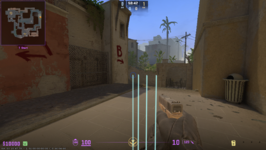
- Customizable bullet tracers with a full color picker and thickness slider.
- An on-kill chat spammer.
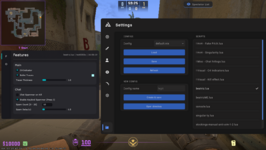
- A clean, draggable GUI.
My main goal is to add a ton of new, awesome features over time while keeping it 100% free for everyone. What you see now is just the beginning.
Hope you enjoy it, and stay tuned for more updates!
How to Configure the Custom Spam Phrase
Follow these 3 steps to set up your own custom message:1. Create the configuration file:
- Create a new text file and save it with the exact name: phrases_spam.json
2. Add the content:
- Open the file with Notepad or any other text editor. Paste the following content into it:
{
"phrase": "Your custom message goes here!"
}
Now, simply edit the text inside the quotes to your desired message.
3 . Place the file in the correct location:
!!!! This step is mandatory! The ''phrases_spam.json'' file must be placed in the Nixware scripts folder. The default installation path is:
C:\Program Files (x86)\Steam\steamapps\common\Counter-Strike Global Offensive\game\bin\win64\nix\scripts
Important Notes:
If the phrases_spam.json file is not found or contains a formatting error, the script will automatically use the default phrase: "in nixware we trust".